
The app

Your golf.
Your way.

Fast scoring, accurate calculations and seamless continuity between phone and watch — even offline.

Download on the App StoreGet it on Google Play

Free · No account · No ads

Four ways to play

One app.
Every kind of round.

BirdiePot adapts to your golf: a personal scorecard, a friendly competition, a three-player Chouette or the shared pot that brings your season to life.

01◎

Your golf, your progress

Personal round

Record your own Stroke Play or Stableford round. BirdiePot calculates gross and net scores, points and strokes received, then keeps every card in your personal history.

  • ✓ One individual scorecard
  • ✓ Stroke Play and Stableford
  • ✓ History and PDF export
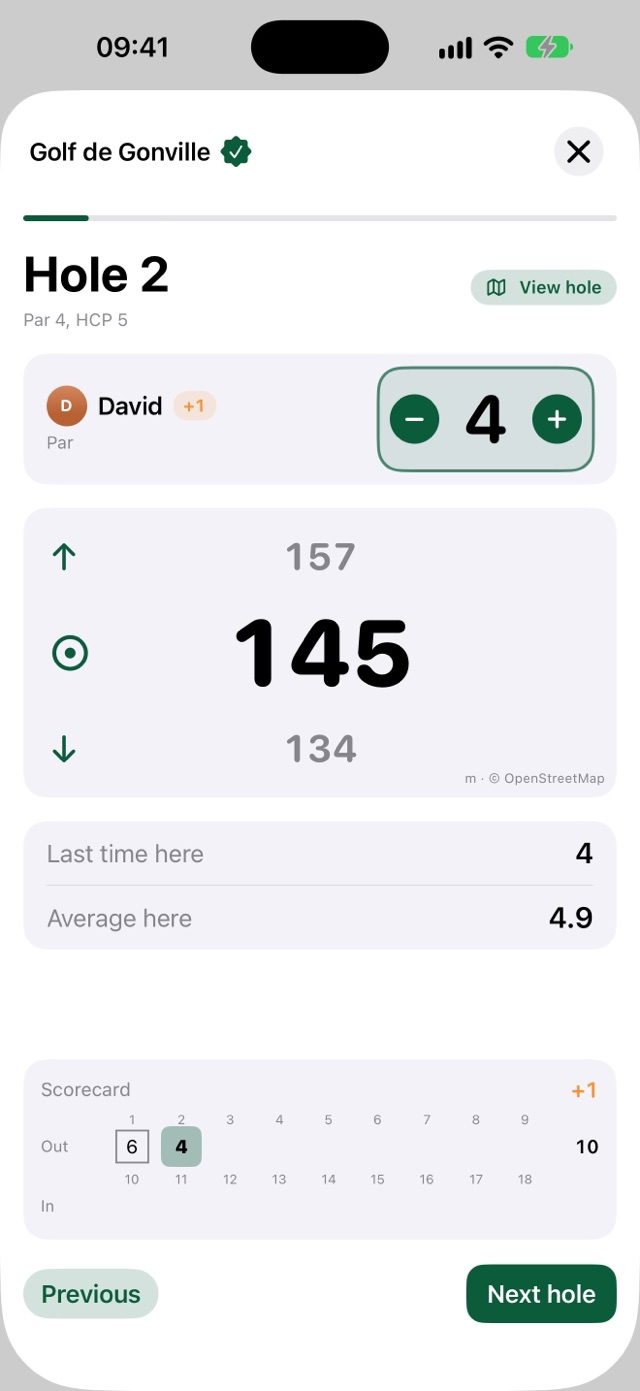
  • ✓ GPS distances to the green
Golf du lac d’Annecy · Stableford36 pointsScorecard saved
03⚑

Every hole counts

Match Play

Play against one golfer or a team, with or without handicaps. BirdiePot follows the match hole by hole on your phone or watch.

  • ✓ Singles or teams
  • ✓ Handicaps and strokes received
  • ✓ Live match tracking
  • ✓ GPS distances to the green
David versus Dani2 UP After hole 12
04✦

Three players, every hole pays

La Chouette

Three players, six points per hole: 4 to the best, 2 to the second, 0 to the third, ties share the points. Gross or net, with an optional value per point, on iPhone, Android and smartwatch.

  • ✓ Three players, 4 · 2 · 0 points
  • ✓ Gross or net
  • ✓ Optional value per point
  • ✓ GPS distances to the green
La Chouette · Gonville22 ptsDavid leads after hole 9

GPS distances

The green,
at the right distance.

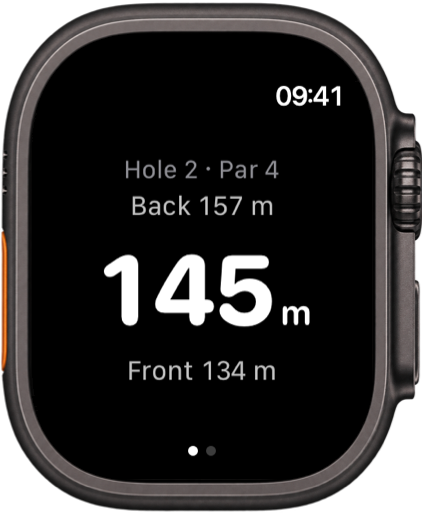
Front, center and back of the green, measured live by the GPS of your phone or watch. One glance, and you pick your club.

  • ✓ Front · center · back, in meters or yards
  • ✓ In every type of round
  • ✓ On your watch, at a glance
  • ✓ Satellite view of the hole, on request
Green outlines: © OpenStreetMap contributors. Available on mapped courses.
Distances to the green on iPhone, hole view on requestDistances to the green on Apple Watch
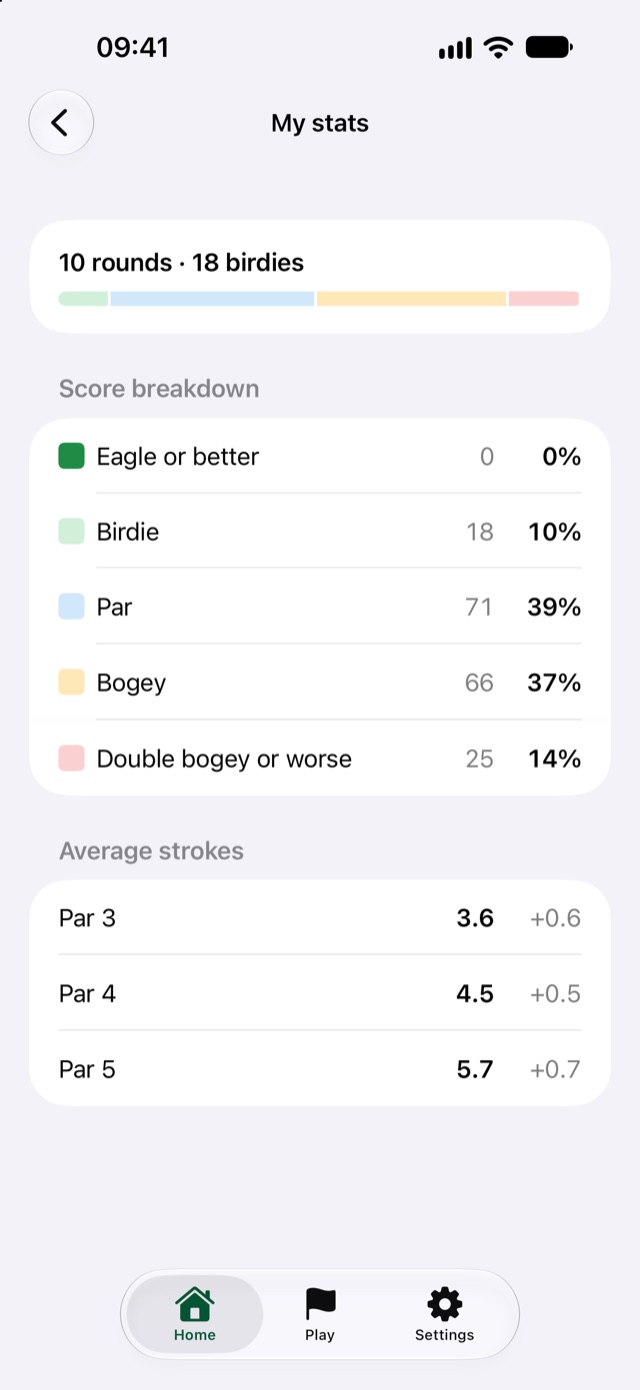
BirdiePot “My stats” screen on iPhone

My stats

Your game,
in numbers.

Every finished round feeds your stats, with nothing extra to enter: you see where you gain strokes, and where you lose them.

  • ✓ Eagles, birdies, pars, bogeys and double bogeys, in numbers and %
  • ✓ Average strokes on par 3s, par 4s and par 5s, compared with par
  • ✓ Personal rounds, pots and Match Play together
  • ✓ Only your own scores are counted
Your stats stay on your phone.

Organize the round

One date.
Everyone on the tee.

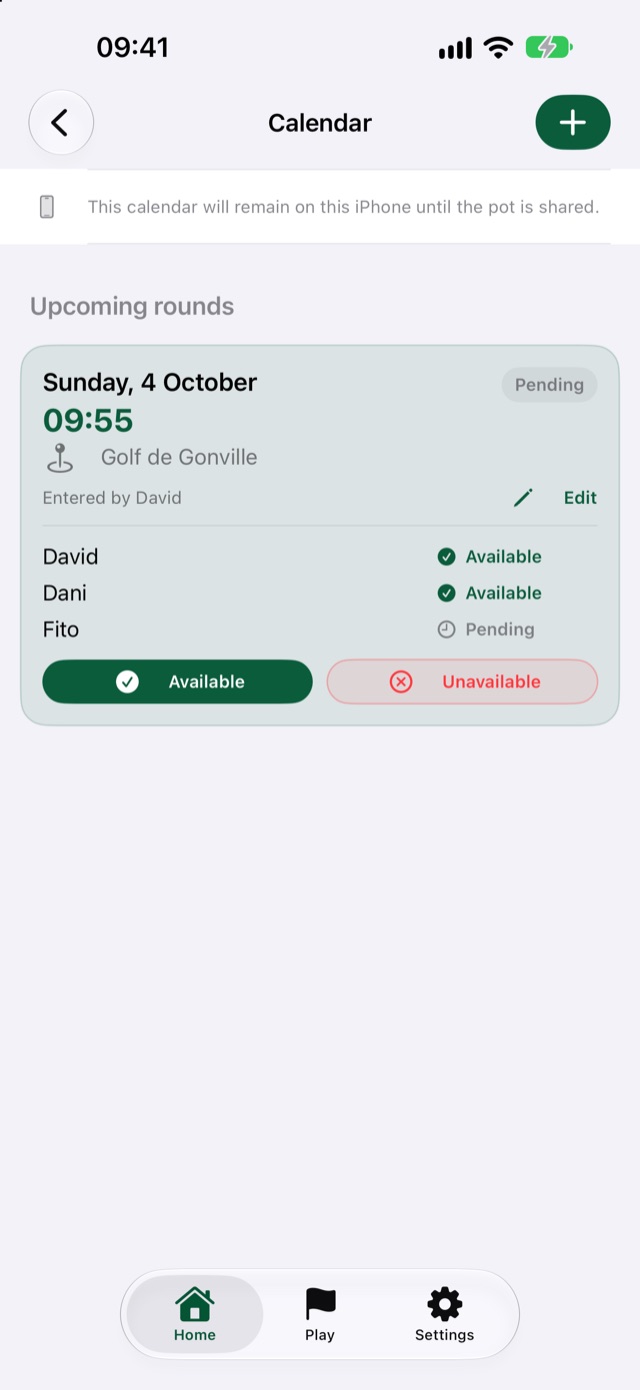
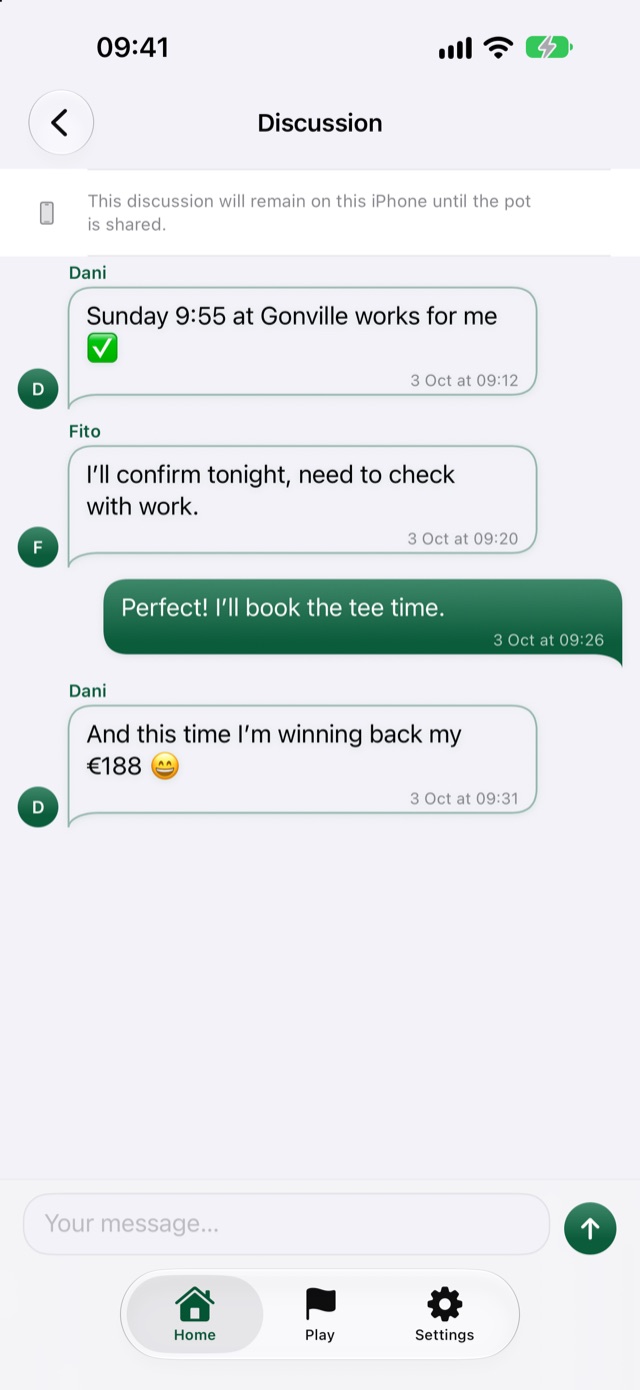
Propose a date, everyone answers Available or Unavailable, and the round is confirmed once all players are available. If the date changes, everyone confirms again. The pot’s discussion keeps the whole group in the loop.

  • ✓ Propose a date and a course
  • ✓ Available or Unavailable, in one tap
  • ✓ Date changed: everyone confirms again
  • ✓ A discussion for each pot
Calendar and discussion sync with the members of a shared pot (iCloud).
Pot calendar showing each player’s availabilityPot discussion

Scorecards

Every round,
just like on paper.

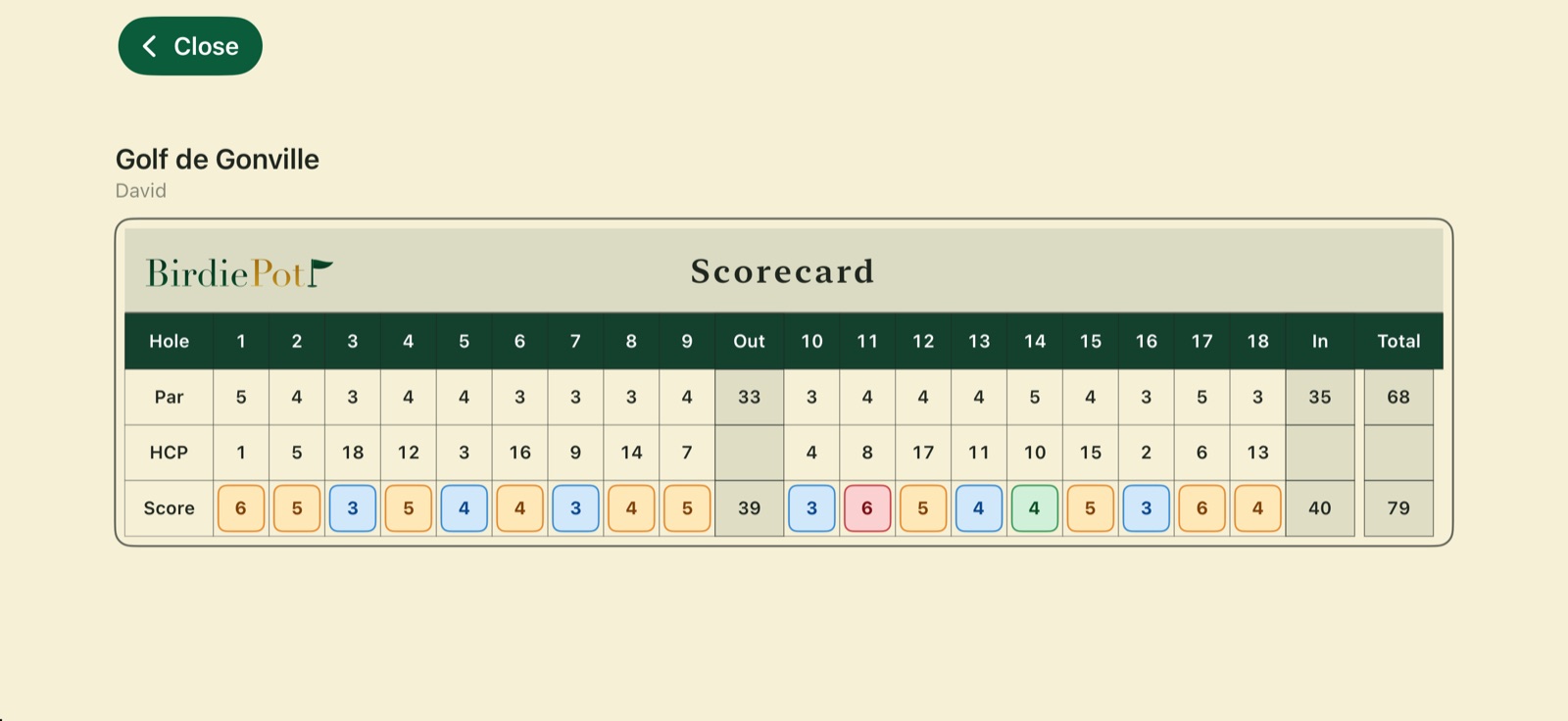
Every card is kept: par, HCP, hole-by-hole score, out and in. In landscape, the card fills the screen on an ivory background, like a real golf scorecard.

  • ✓ The history of all your rounds
  • ✓ Par, HCP and hole-by-hole score
  • ✓ Corrections dated and kept
  • ✓ PDF export of personal rounds
BirdiePot scorecard in landscape, on an ivory background
BirdiePot also works offline.

Your data stays on the device and synchronizes when the connection returns.